Calendaring Progress
How JSCalendar, protocol adapters, and a mock-first approach are shaping Mailtemi’s calendar.
I always try to spend about a third of my time on long-term features like Calendaring, Offline Support, and so on. The next major release will bring Calendaring support — starting with JMAP and CalDAV. MSGraph and Google Calendar integration will follow later.
This is a large and complex feature, so I divided it into multiple isolated tasks. The key decision that made this possible: using JSCalendar (RFC 8984) as the internal format throughout the app. Everything — UI, database, sync logic — speaks JSCalendar. The protocol-specific details (CalDAV’s iCalendar format, JMAP’s native JSCalendar, and eventually MSGraph/Google) are handled by adapters at the edges.
UI — built on mocks first
The entire calendar UI was developed using JSCalendar mock data — no backend, no network, no server needed. The UI receives just two things: parsed JSCalendar objects and time series arrays of occurrences (start time, end time, event ID), whether from a single event or expanded recurrence rules.
This let me focus purely on getting the interaction right: drag-and-drop, navigation, tapping, resizing, scrolling — all without worrying about sync or protocol details.
The calendar includes four main views:
-
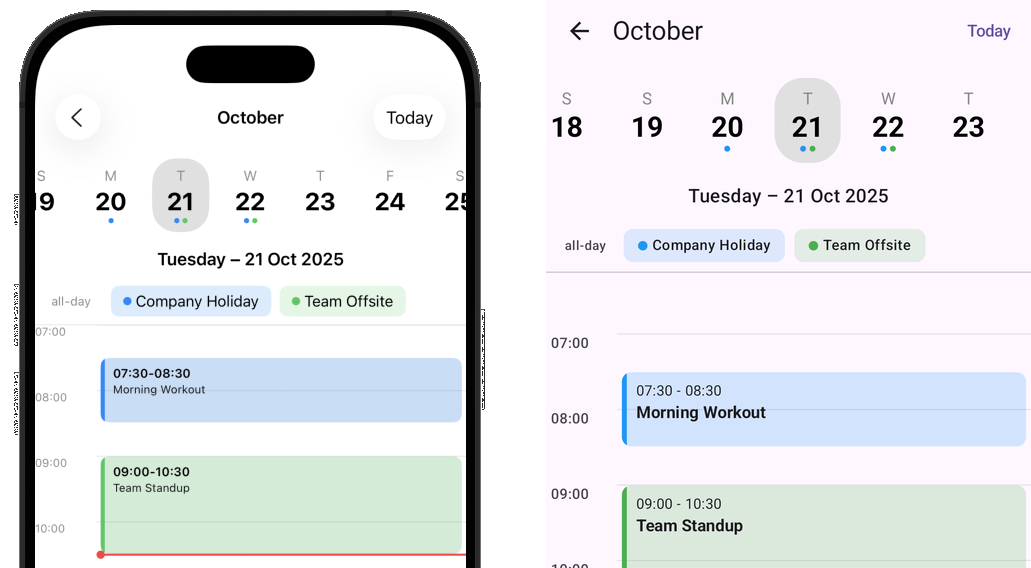
Day/Multi-Day View — A vertical timeline showing events as positioned cards. On phones it shows one day, on foldables two, and on tablets three columns side by side. This is the most complex view. When you drag an event near the edge of the screen, the view automatically scrolls to the next or previous day — getting this smooth edge-scrolling right across platforms was one of the trickier parts.
-
Week Header — A horizontally scrollable strip of day cells. Colored dots beneath each day show which accounts have events on that day (up to three colors). Tapping a day scrolls the day view to match, and vice versa — keeping these synchronized without scroll-fighting took careful coordination.
-
Month View — A classic 6-week grid with colored event indicators. Useful for getting a quick overview and picking a date to jump to.
-
Year View — A scrollable list of months, with a compact layout (3 months per row on wider screens). Tapping a month navigates into it.
All views are fully native: SwiftUI on iOS/iPadOS/macOS and Jetpack Compose on Android. They share the same design and behavior, but each uses its platform’s native gestures and components. Drag-and-drop uses haptic feedback, events show resize handles when selected, and a ghost effect follows your finger during a move.
iOS
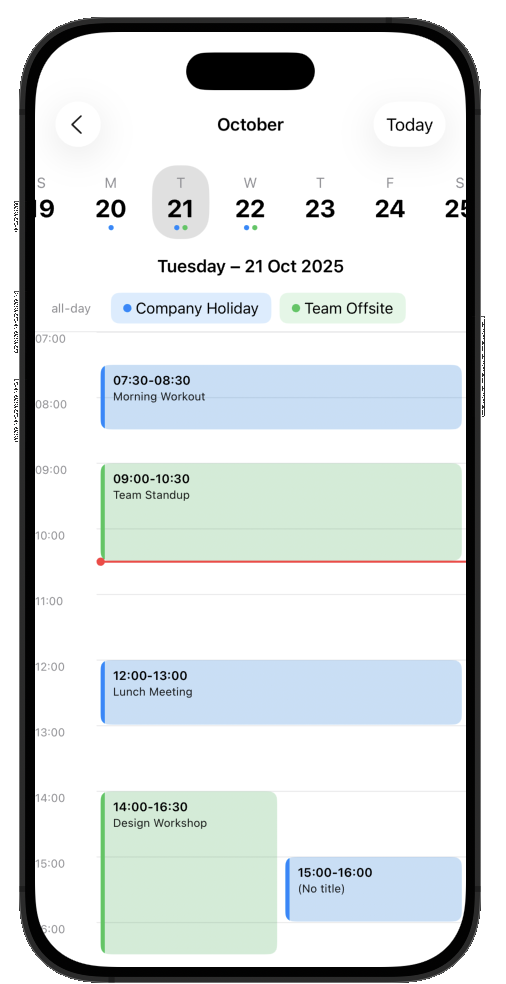
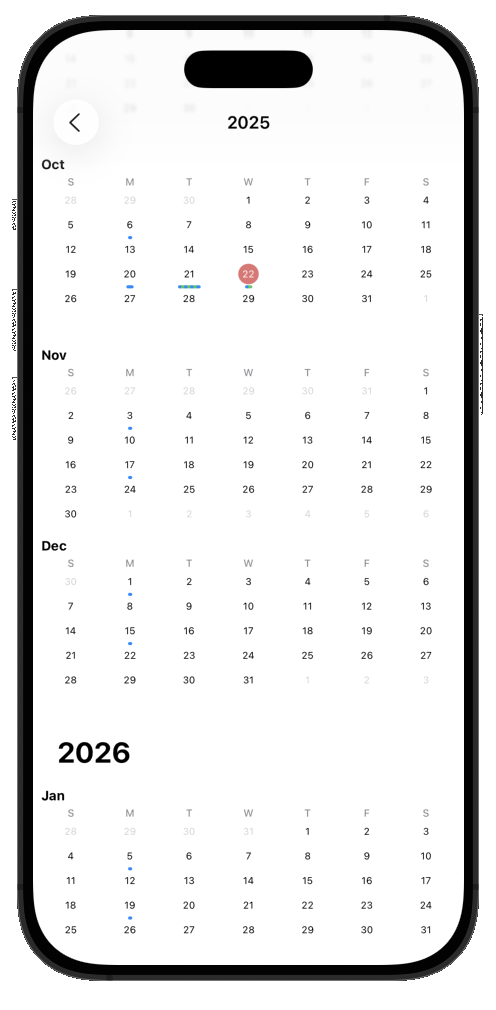
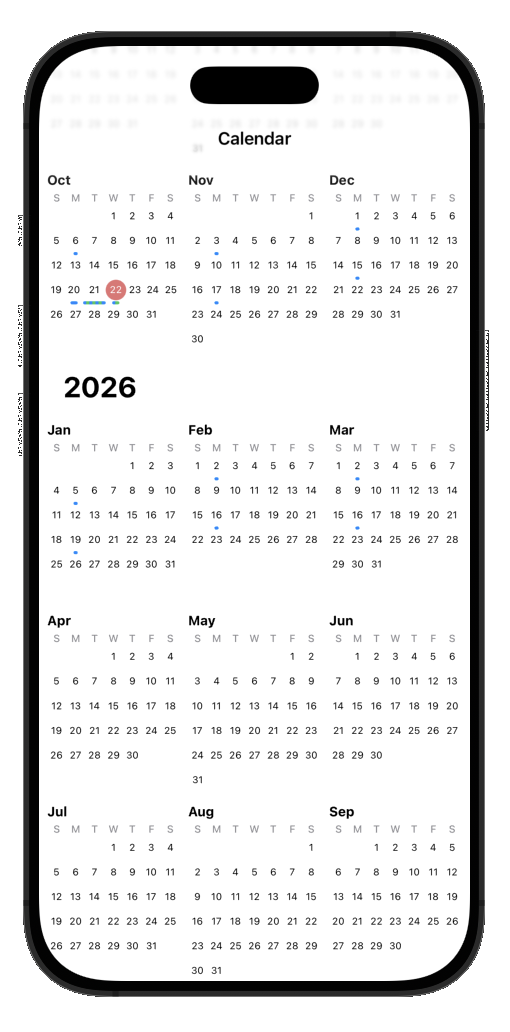
Day, Month, Year
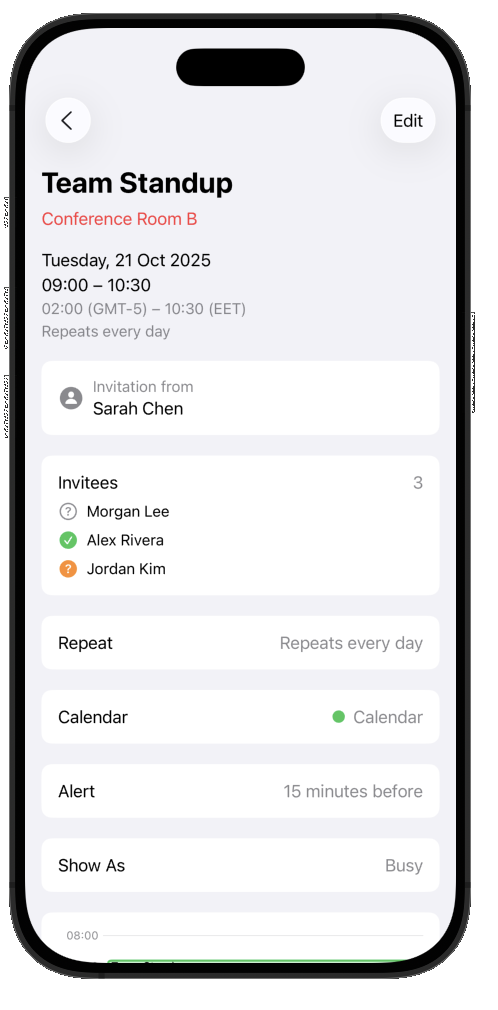
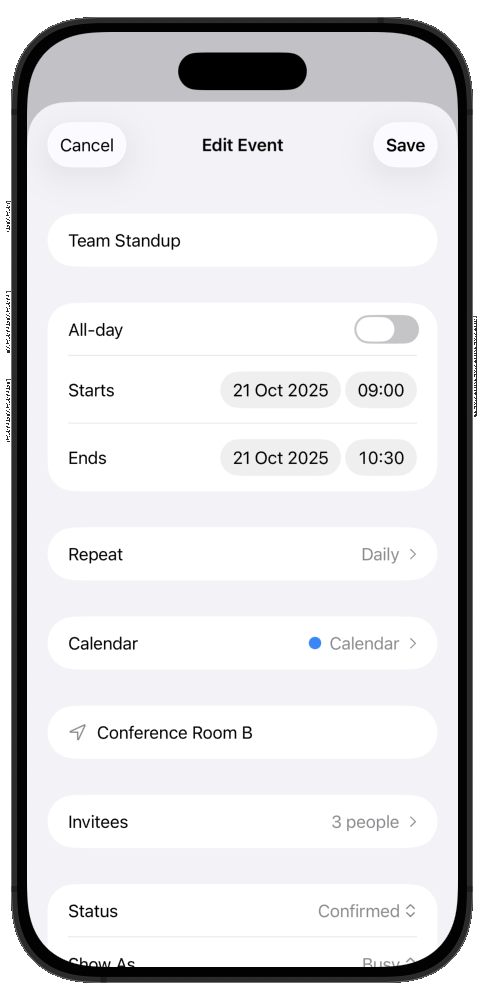
Event Preview, Event Edit
Android
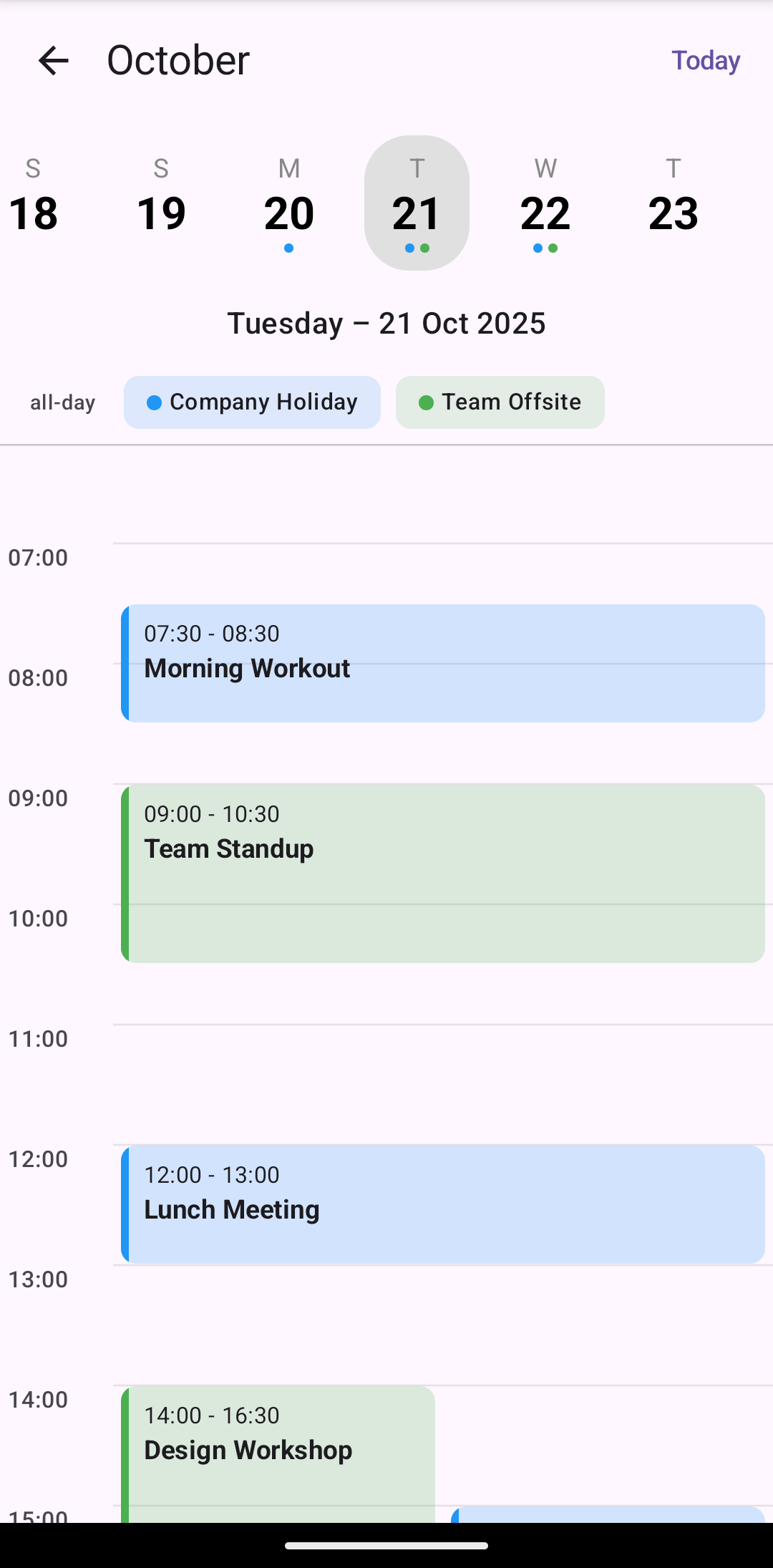
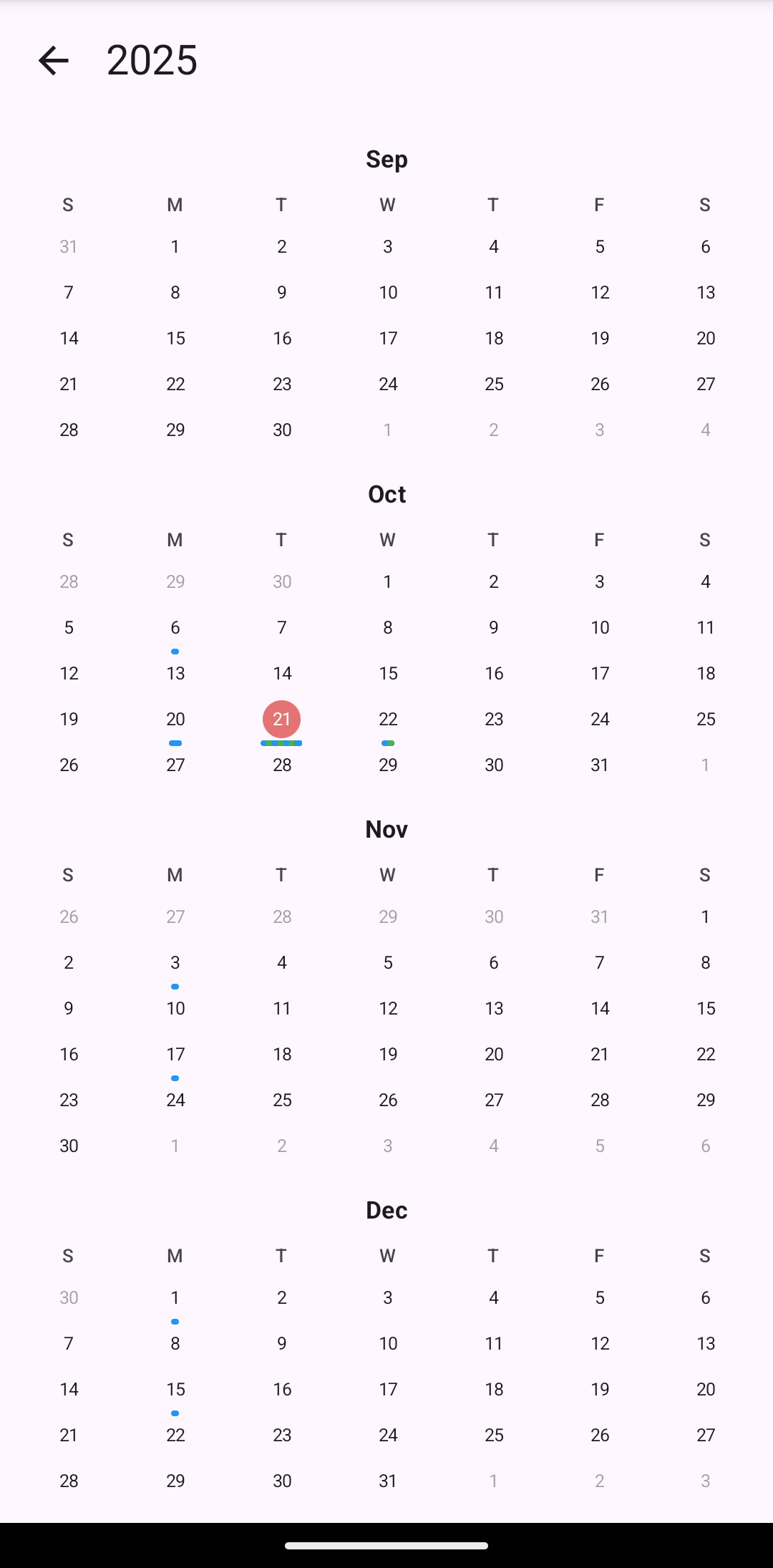
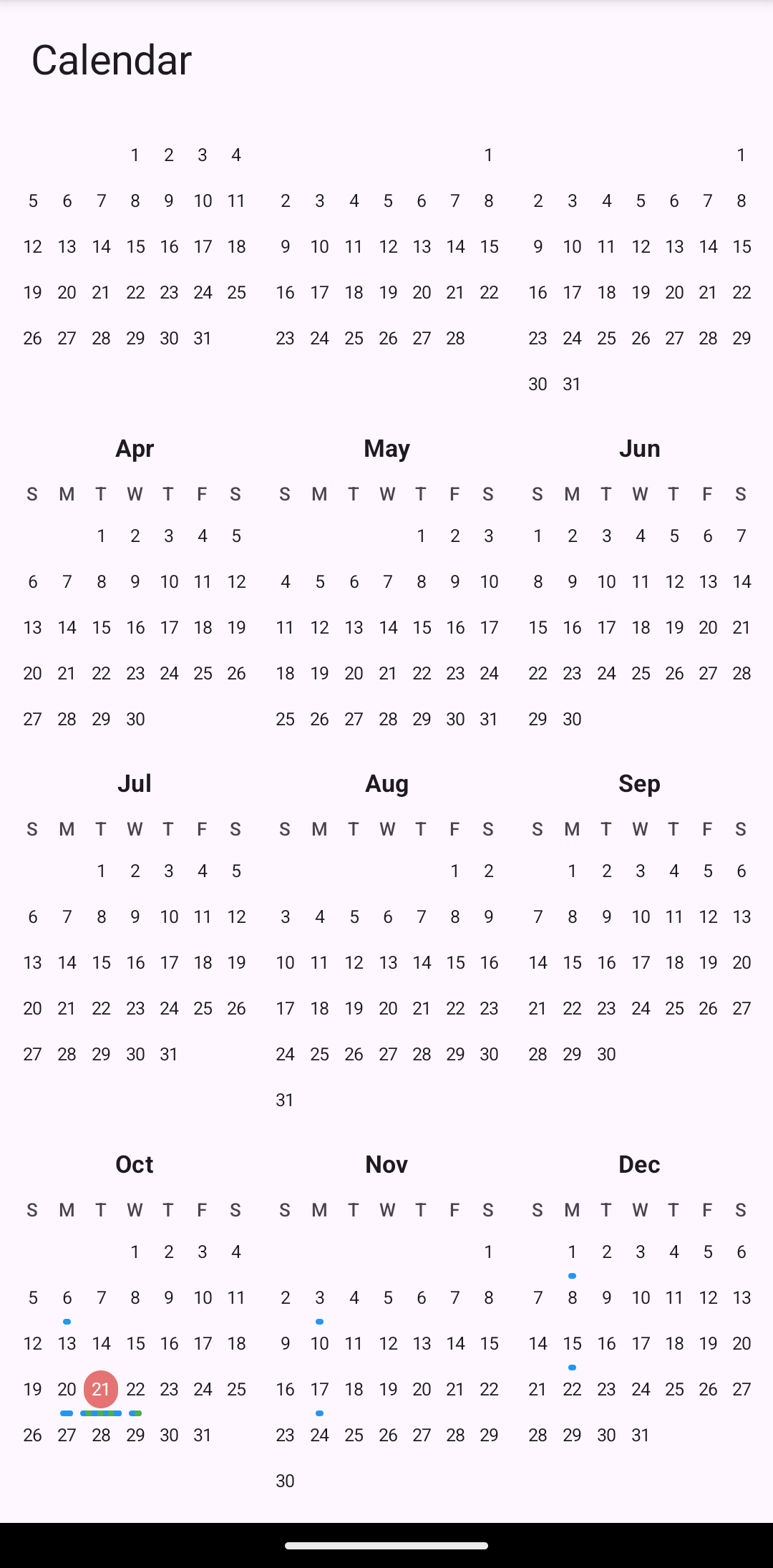
Day, Month, Year
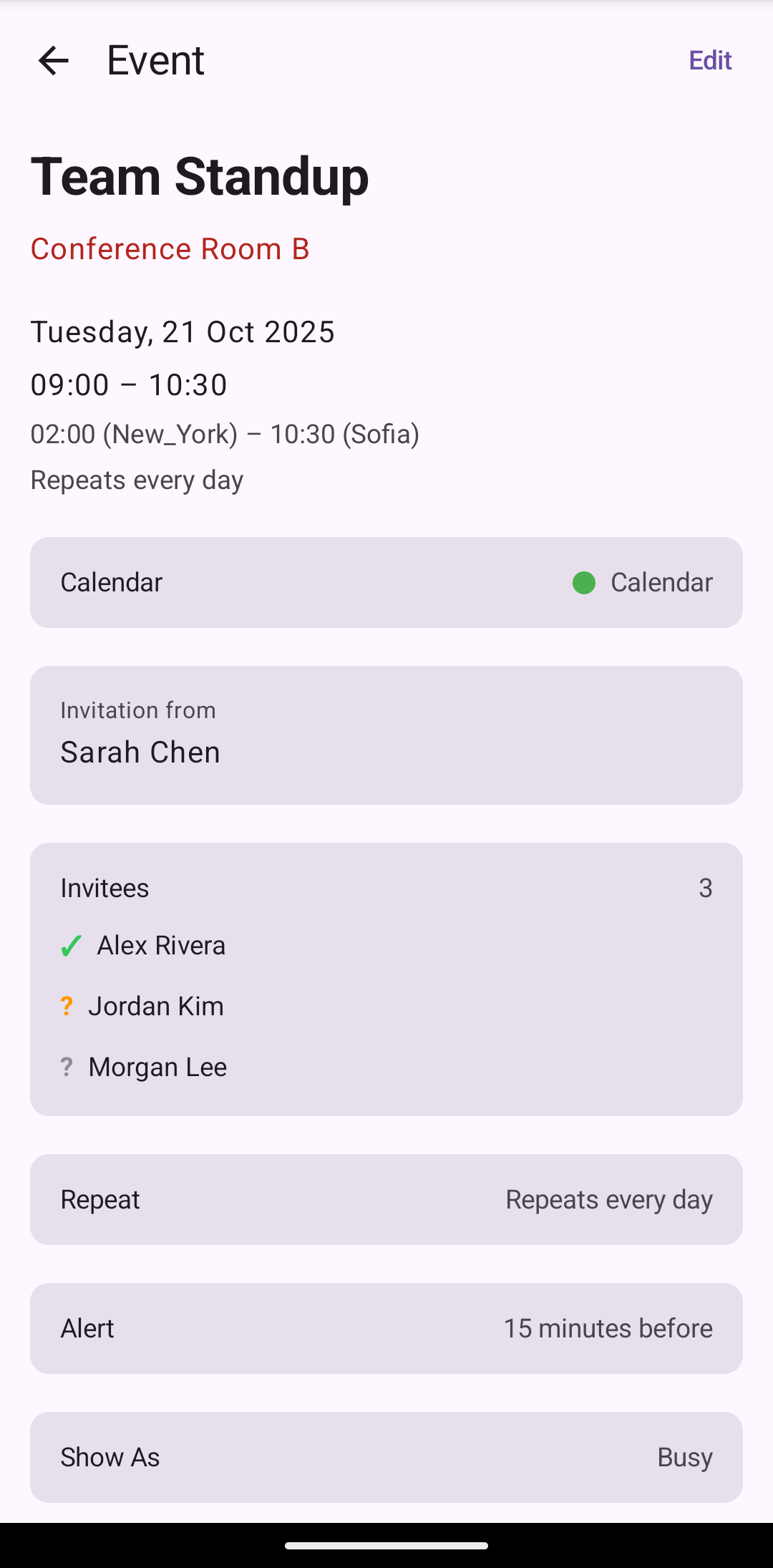
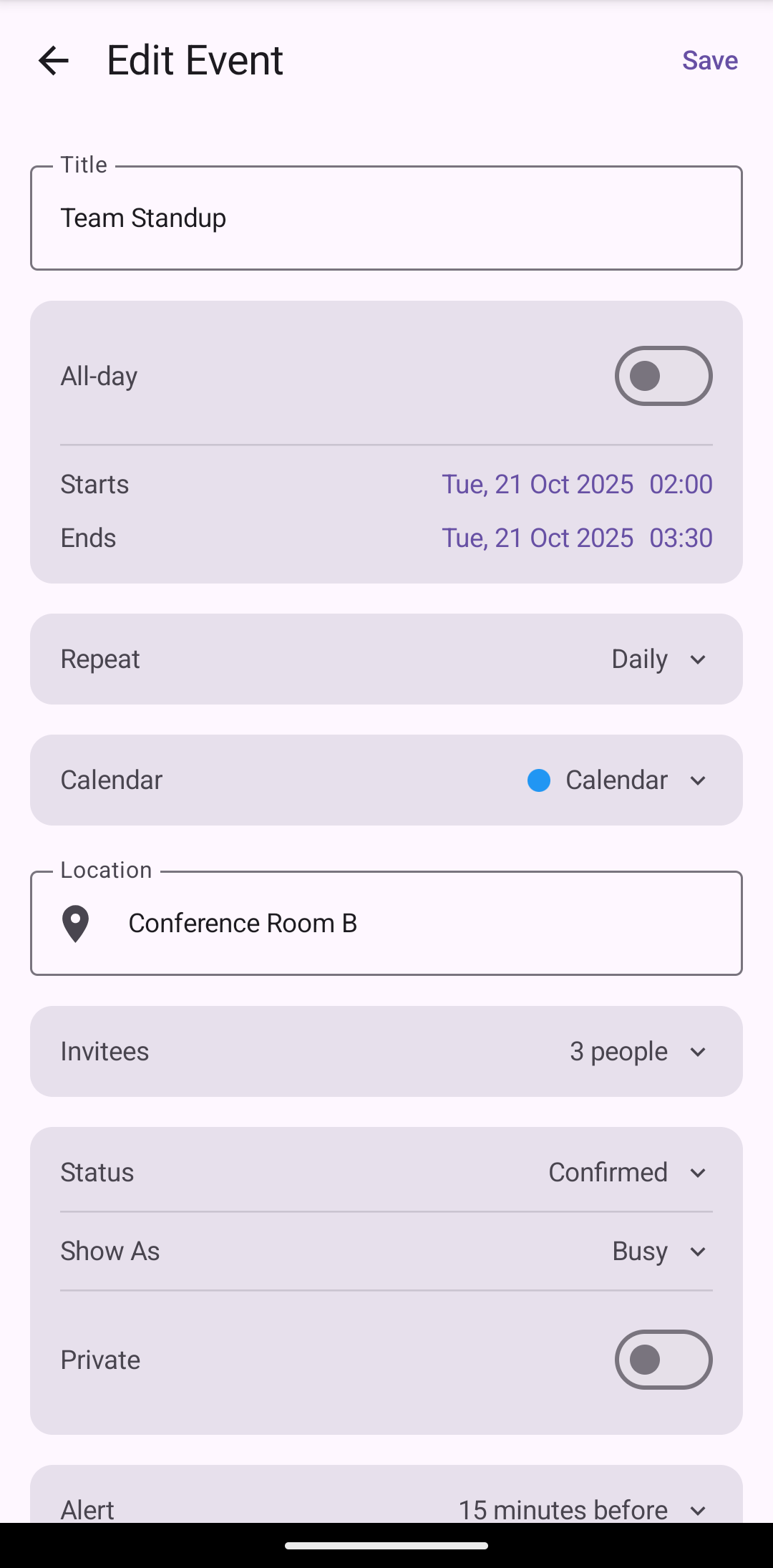
Event Preview, Event Edit
Backend — recurrence engine and layout cache
The backend has progressed significantly. The JSCalendar recurrence expander is complete — it handles all RecurrenceRule patterns defined in the spec: daily, weekly, monthly, and yearly frequencies, with count and until limits, excluded overrides, additional occurrences, and per-instance modifications via recurrenceOverrides.
Every by-filter is supported: byDay, byMonth, byMonthDay, bySetPosition, byYearDay, byWeekNo, and more. iCalendar (RFC 5545) expresses similar concepts through RRULE, EXDATE, RDATE, and RECURRENCE-ID — the JSCalendar-CalDAV adapter maps between the two representations.
On top of this sits a layout engine that loads all JSCalendar events, expands their recurrences, and maintains a cache of occurrences per month that the UI can query efficiently. All expanded times are normalized to UTC to avoid timezone bugs across platforms.
JSCalendar uses IANA timezone identifiers natively, while iCalendar embeds VTIMEZONE components with explicit DST transition rules. The CalDAV adapter parses these with full DST support, including minute-precision offsets (important for zones like India’s +05:30). Over 300 test cases validate the recurrence and timezone logic across both formats.
Validation — CalDAV as reference
Because JMAP Calendar is a relatively new protocol, there is no easy way to validate that a client is doing everything correctly. There is no widely available reference server — FastMail supports it but is not yet open to third-party apps.
So I am using CalDAV as the reference implementation. I can run the exact same test steps first through CalDAV, then repeat them with JMAP Calendar. If both produce the same results in the UI, I know the logic is correct.
But how does this work if the UI only speaks JSCalendar? That is where the JSCalendar-CalDAV adapter comes in. It converts between JSCalendar (the modern JSON-based format) and iCalendar (the traditional .ics format used by CalDAV). Mailtemi has its own built-in adapter. And in the future — why not JSCalendar-MSGraph or Google Calendar adapters too?
The full data flow looks like this:
Server (CalDAV) → Client [JSCalendar-CalDAV adapter] → DB (JSCalendar) → Expand/Layout engine → UI (JSCalendar)
Offline and sync — PatchObject architecture
PatchObject is part of the JMAP Calendar RFC — it allows clients to send lightweight diffs instead of full objects. Mailtemi extends this idea further, using PatchObject as a unified offline mechanism across all backends.
Say a user modifies a single occurrence of a recurring event — perhaps dragging it to a different time. The UI does not modify the original JSCalendar object. Instead, it produces a PatchObject — a lightweight diff that records only what changed.
This has several benefits:
- Offline support: If the user is offline and restarts the app, the PatchObject is merged with the original for display. The user sees their change, even without a server round-trip.
- Sync: When connectivity returns, the PatchObject is synced back to the server. On success, the merged version becomes the canonical copy in the database.
- Protocol independence: The PatchObject is pure JSCalendar. Only at the sync boundary does it get converted to whatever format the server expects.
For JMAP Calendar, syncing is straightforward — the PatchObject is pushed directly to the server. For CalDAV, the flow requires an extra step:
JSCalendar(PatchObject) → merged JSCalendar → [JSCalendar-CalDAV adapter] → server sync → on success → merged JSCalendar → DB
This architecture completely isolates UI and business logic from the underlying sync protocol.
iTIP — calendar invitations
The first end-to-end workflow is running in development. Calendar invitations — the iTIP protocol — are functional for CalDAV. The client parses an incoming .ics invite attachment, converts it through the JSCalendar-CalDAV adapter, and presents it in the UI. From there, the user can accept, tentatively accept, or decline — and the client generates and sends the appropriate iTIP response message back.
For JMAP Calendar, this will be simpler since the server handles iTIP responses directly.
The test workflow validates the full round-trip:
CalDAV invite.ics → [JSCalendar-CalDAV adapter] → UI (JSCalendar) → accept/maybe/decline → DB JSCalendar(PatchObject) + send response via [JSCalendar-CalDAV adapter]
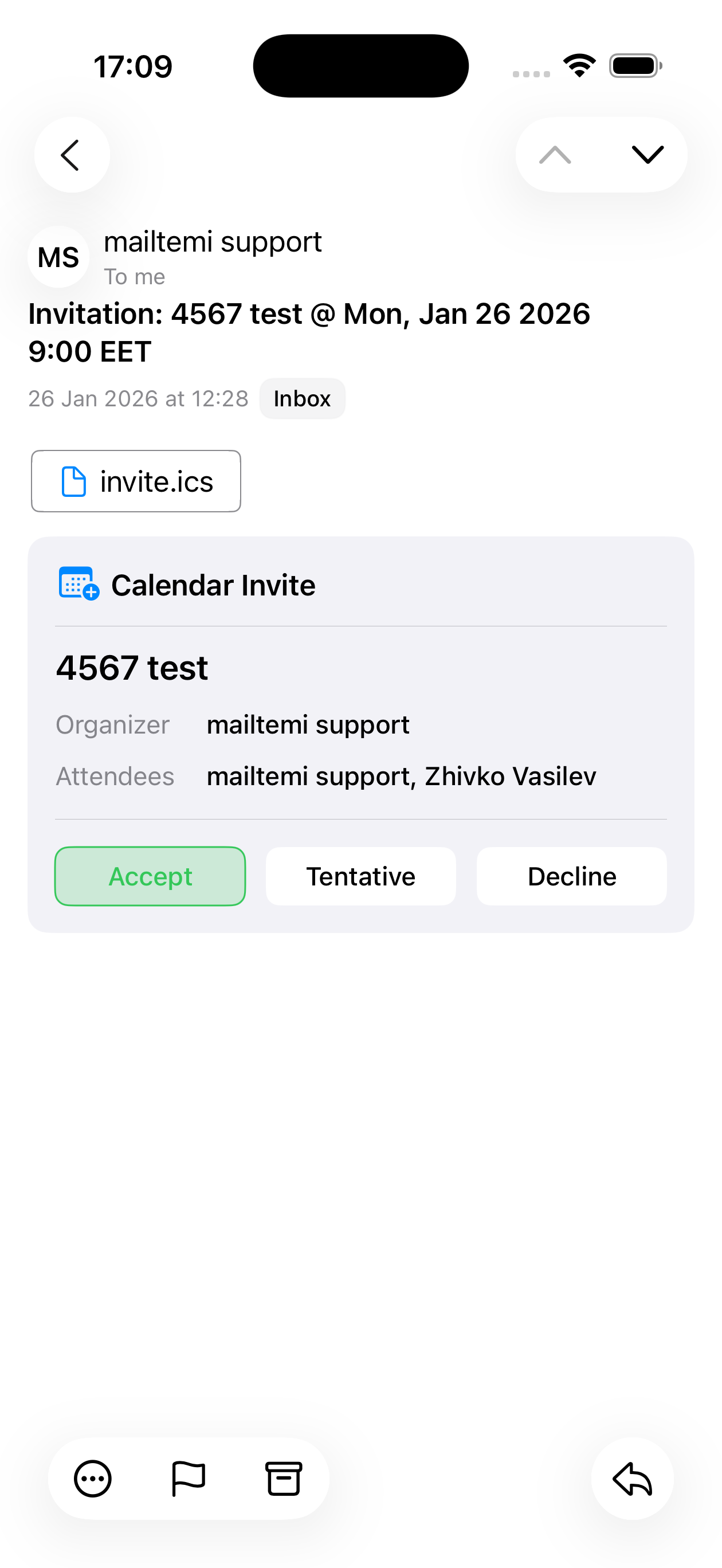
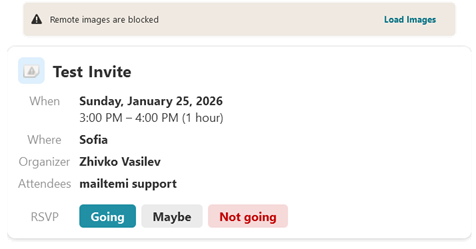
The GTK version currently serves as a test harness — but the architecture is platform-agnostic by design, and GTK was not chosen by accident.
What else changed
JMAP Contacts was reworked using the same PatchObject pattern and a JSContact-CardDAV adapter (with MSGraph and Google adapters as well). Although the previous implementation worked, I decided to rebuild it using the simpler protocol-adapter approach first — the same architecture now powering the calendar. You can read about the original contacts implementation in the previous blog post.
Closing thoughts
Calendaring is the most complex feature Mailtemi has tackled so far. The combination of recurrence rules, timezone transitions, multi-participant events, and offline editing creates a problem space where correctness matters far more than speed of delivery.
JSCalendar as the single internal format, protocol adapters at the edges, and PatchObject for tracking changes — these choices keep the complexity manageable. The first end-to-end workflows are running, and the foundation is solid enough to build on.
JMAP Calendar and CalDAV support are coming in the next major release. MSGraph and Google Calendar will follow.