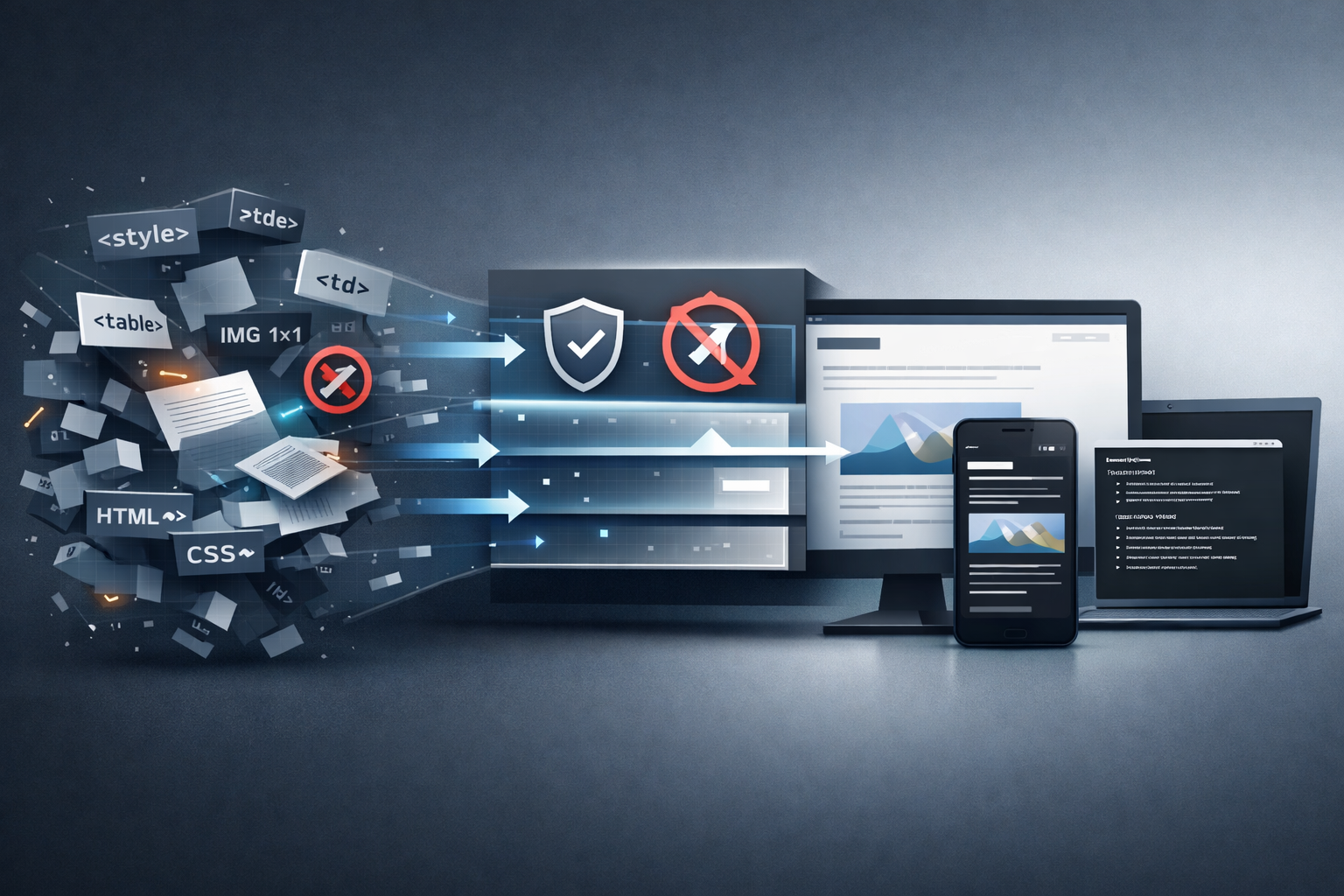
What It Takes to Render Email
Displaying an email sounds simple — it’s just HTML. But real-world email is nothing like a web page. Emails arrive with broken layouts, missing dark mode support, hidden tracking pixels, and formatting that assumes a screen size from 2005. Making all of that readable takes more work than expected. Each problem below started with a real email that didn’t render right, and each fix revealed the next edge case. This is what it took, across iOS, Android, and the desktop.
Zoom
Most emails render fine at device width. The viewer detects the email type — responsive, fixed-width, or simple — and fits it accordingly. Responsive emails use their own CSS breakpoints. Fixed-width emails scale to fit without crushing columns. Simple emails render at device width with images clamped.
That covers most emails. But every now and then an odd one slips through — a legacy desktop layout, a support thread with a weirdly formatted original message, a receipt with tiny text. Only a small fraction of emails need zoom, but when one does, there’s no workaround without it.
So pinch-to-zoom and double-tap zoom were added on both iOS and Android. Tedious to get right — the email viewer sits inside a scroll view, and both fight for gestures. The viewer has to track a stable base height to prevent measurement loops during zoom, and on Android, distinguish horizontal panning from vertical scrolling. The work also made sure the viewer is implemented correctly for macOS and the desktop, which are not yet released.
Dark Mode
More and more emails ship with proper dark mode CSS — and those should be left alone. The viewer detects when an email already handles dark mode and respects it. No double-darkening, no fighting with the sender’s styling.
The enhancement kicks in only when an email lacks dark mode support. The viewer checks for dark mode media queries in stylesheets, and also scans for common patterns — inline dark backgrounds, dark-themed color declarations — that indicate the email already handles dark mode on its own.
Only when none of these signals are present does the engine step in: it checks the luminance of each element’s colors and applies targeted overrides only where needed. A light-gray text on white background gets adjusted. A properly styled dark header stays untouched.
Some platforms don’t natively support dark mode CSS queries in the viewer. In those cases, the engine activates the email’s own dark styles directly — unwrapping the conditional rules so they apply unconditionally. Emails with broken inline color overrides needed special handling too: rather than trusting declared styles, the viewer samples actual visible elements to decide whether intervention is needed.
When it works, there’s nothing to notice. The email just reads normally in dark mode.
Fast Rendering
Tap an email, see it instantly. That’s the expectation — but email HTML can be heavy, and images make it heavier.
The backend sanitizes every email before it reaches the viewer — stripping dangerous elements, filtering attributes, and replacing all image sources. This runs on a background thread, so the UI stays responsive even for heavy newsletters. The image replacement serves two purposes at once — remote images stay blocked by default (a privacy win), and the page renders immediately without waiting for any downloads. When remote content is requested, the original sources are restored on demand.
On iOS, the viewer maintains a pool of pre-created rendering instances. Opening an email pulls a ready instance from the pool instead of creating one from scratch. This eliminates the blank flash that would otherwise appear during transitions between emails or within a conversation thread.
The most recent improvement targets rapid navigation. When tapping quickly through a list of emails, only the final email actually loads. Intermediate selections are batched and skipped — so flicking through the inbox feels instant, not sluggish.
Tracking Prevention
Emails can contain hidden tracking mechanisms — a 1x1 pixel image, an external stylesheet, a web font — each waiting for the client to fetch it. That single request tells the sender when the email was opened, from what IP address, and often on what device.
The backend handles this before the email reaches the viewer. The sanitizer strips dangerous elements, filters attributes, and replaces image sources — the same replacement that speeds up rendering also ensures remote requests never fire by default.
CSS-based tracking is blocked too. External stylesheets loaded via @import, background images fetched from remote servers, and web fonts that phone home — all blocked at the network level before the request ever leaves the device. On top of the sanitizer, the viewer also blocks remote requests at the platform level as a second layer of defense. On iOS, this uses Apple’s Content Blocker API — a set of declarative rules that WebKit evaluates natively, blocking requests before they ever leave the process. Because the rules run inside WebKit itself rather than in app code, they cannot be bypassed by the loaded content.
Local resources pass through — only remote requests are blocked. Tapping “Load images” reloads the email with original sources restored. This can also be set as a default for trusted senders or for all emails.
Every Email, Readable as Text
What if you strip away all the HTML — the tables, divs, inline styles, nested formatting? Can that become something comfortable to read?
It can, but it takes more work than you’d expect. The HTML-to-markdown converter handles the diversity of real-world email — headings, lists, and structure are preserved. Links get readable titles instead of raw URLs. Redundant duplicate links are collapsed. A multi-phase beautifier polishes the output: normalizing spacing, merging orphaned list items, collapsing excessive blank lines, and cleaning up visual noise.
Plain text emails — from mailing lists, automated systems, older mail clients — also get markdown treatment. Bare URLs become titled links with readable names extracted from the URL itself. Long lines break at natural points. Encoded characters are decoded.
If the HTML body turns out to be empty but a plain text version exists, the viewer falls back automatically. Markdown is the last resort. No email ever shows a blank screen.
A text-loss analyzer verifies that no visible words are silently dropped during conversion. If the HTML says something, the markdown output says it too.
All content types — HTML, plain text, markdown — now render through a single unified viewer path. This powers the markdown toggle on iOS and Android — a single tap switches between the email’s original HTML and a distraction-free markdown view. The markdown view strips away newsletter layouts and marketing styling, leaving just the text, headings, and links.
One Viewer, Every Platform
A terminal has no WebView. Every email has to convert to clean, readable markdown — and if the conversion drops a sentence, mangles a link, or swallows a heading, it’s immediately visible. The terminal client started as a proof of concept during desktop development, but it turned into the strictest test environment for the entire viewer. The feedback loop is tight: change the converter, rebuild, read a real email, see the result. When something looks off, fix it and write a test. Fixes found this way improved rendering on all platforms.
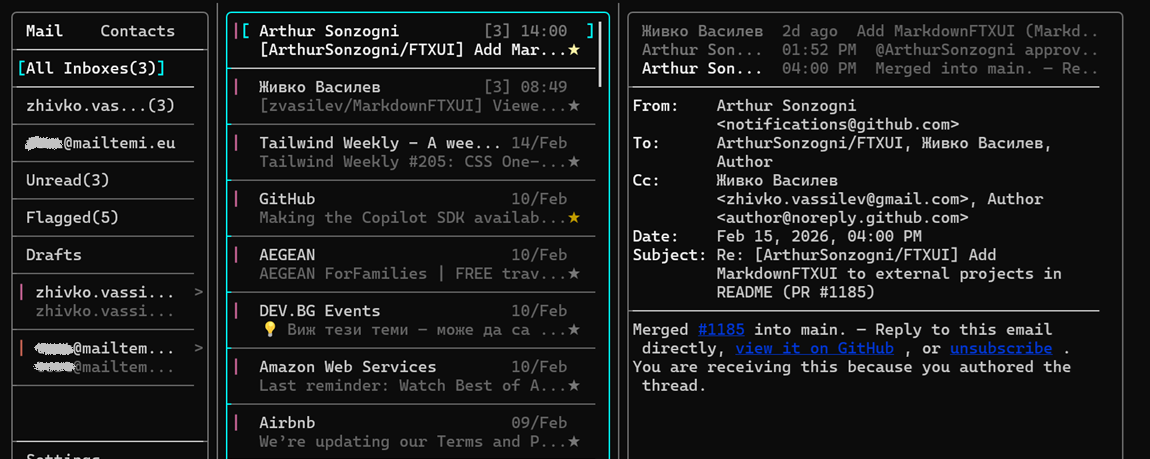
Three-pane view — TUI markdown viewer
The HTML-to-markdown conversion started as an experiment that did not look very promising — plain text output from email HTML was not pleasant to read. But after polishing the converter and adding the beautification step, it became genuinely comfortable. The terminal client has since become a surprisingly practical way to triage the morning inbox — three-pane layout, keyboard-driven navigation, read and archive and move on. Its markdown rendering component was extracted and open-sourced as MarkdownFTXUI, MIT licensed.
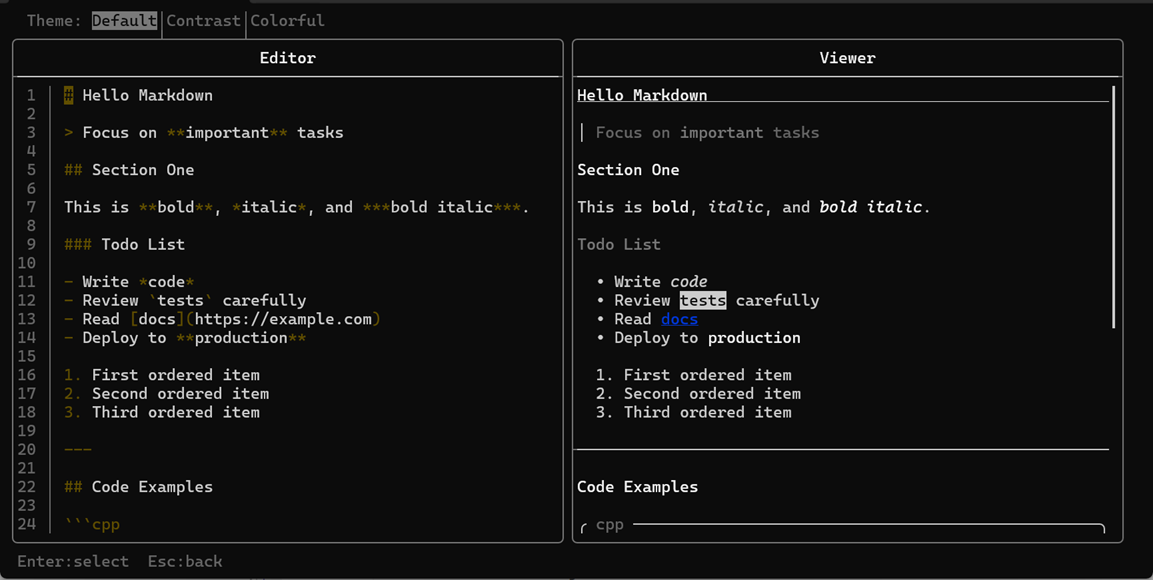
Editor + live preview
All five areas — rendering, zoom, dark mode, tracking prevention, markdown conversion — run through one shared viewer core: a single JavaScript codebase with thin platform adapters, and a single backend content pipeline. A fix in one place reaches every platform at once. macOS and the GTK desktop client are not released yet, but every viewer improvement already applies to them. When they ship, the viewer will be ready.
That’s what it takes — and the foundation for what comes next.
The TUI screenshots above? Not released yet — just me stress-testing the markdown converter in a terminal and quietly enjoying it. The zoom, enhanced dark mode, and markdown toggle are live right now on iOS and Android. Update Mailtemi, try them out, and let me know — what else could be done even better?